Rain, snow and fog in AI video prompts, without the flicker
How to word rain, snow and fog so AI video keeps them soft and steady: backlight and street-lamp tricks, a short draft-then-lock routine, and what to re-roll.
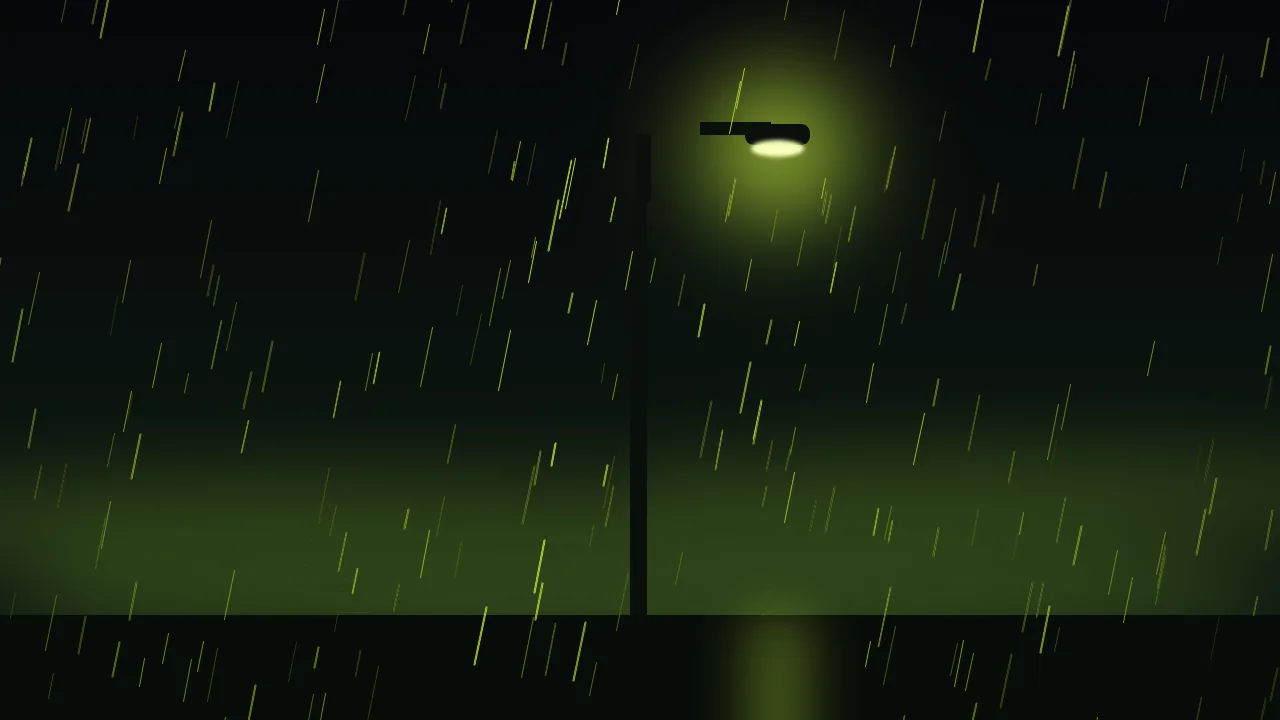
Weather is the cheapest mood you can add to a shot and one of the easiest to break. Rain, snow and fog are all the same problem to a video model: thousands of tiny things, none of which matters alone, all of which have to move in step from one frame to the next. When they do not, you see it at once. Rain that shimmers like a TV with a bad signal, snow that boils, fog that pulses in and out as if someone were leaning on a dimmer.
The fix is rarely a stronger word. It is asking for less, giving the weather something to catch the light, and testing the wording cheaply before you commit.
Why precipitation turns to noise
A model draws each frame close to the one before it. A raindrop is a few pixels wide and lasts a few frames, so the model has no stable object to follow. It either repeats a texture that slides down the frame, which looks fine, or it re-invents the streaks every frame, which looks like noise. Dense, fast weather pushes toward the second. Sparse, slow, lit weather pushes toward the first.
- Say how much. "Heavy rain" invites a wall of streaks. "Light steady drizzle" or "a few large slow flakes" gives the model less to invent.
- Say how it moves. Rain falls straight down or slanted, at one speed. Snow drifts. Name the direction once and keep it.
- Say what holds still. "Camera locked, background steady" keeps the weather the only thing in motion, so any shimmer is easy to spot.
Rain: worded to stay steady
Rain is easiest to read when something shows it. On its own, a few lines in the air barely register; on a wet street with a lamp behind them they read at once. So word the surfaces as well as the drops: shining asphalt, small ripples in a puddle, a window with beads running down it.
Night street in steady light rain, thin straight streaks falling at an even speed, wet asphalt reflecting a single street lamp, small ripples in a puddle in the foreground. Camera locked on a tripod, shallow depth of field, calm and quiet mood.A rainy window is the safest rain of all. The glass is close, the drops are large and slow, and the street behind it can be a soft blur, so there is far less to flicker. If a clip needs rain and you are nervous, shoot it through a window.
Snow: fewer, larger, slower
Snow fails the other way. Ask for "heavy snowfall" and the flakes shrink to dots that boil. Ask for "large soft flakes drifting slowly down" and you get a calmer, more cinematic result. Snow also needs a dark patch behind it: flakes vanish against white sky, so a line of bare trees or a dark doorway lets the eye find them.
Large soft snowflakes drifting slowly down past a dark wooden doorway at dusk, a warm lit window glowing behind them, fresh snow on the step. Slow, gentle fall, camera locked, no wind.Settled snow is a separate ask from falling snow. A snowy landscape with one or two flakes in the air is far steadier than a blizzard, so if the scene is about the place, keep the snowfall light and put the weight on the ground.
Fog: name the layer, not the cloud
Fog is the forgiving one, because it has no tiny parts. Its failure is pulsing: it gets thicker and thinner from frame to frame. Anchor it with a place and a depth. "A low bank of fog lying along the ground" or "thin mist between the trees, thicker in the distance" gives the model a layer to hold. Then say it stays: "fog density constant", "slow drift", "does not thicken".
Fog is also the best excuse for a clean, simple scene. It removes the background, hides small errors, and makes a lone object of any kind, a lamp, a pier or a lighthouse, look intentional. The water, smoke and fire post has the words for mist that moves; here you want it to barely move at all.
Backlight and street-lamp tricks
Precipitation is invisible until light hits it. Put the light behind the weather and every drop or flake lights up against a dark background, so a little weather reads as a lot, and you can keep the density low. Three setups that work:
- A lone street lamp. Rain or snow shows only inside its cone of light, and the dark around it hides the rest. Name one lamp, not a street of them.
- Headlights through fog. Two soft beams in the haze give the fog its shape without asking for a dense cloud.
- A window glow. A warm lit window behind falling snow does the same job, and sets a mood at the same time.
Keep the light steady while you are at it. A flickering lamp makes the weather flicker with it, so write "steady glow" or "constant light". If the light itself needs to change, the light changes post covers how to word that without a strobe.
Draft first, then lock the weather
Weather is a good case for the routine in the draft, lock and finish post. Try the wording as a short, cheap draft on P-Video-2 text-to-video, which has a draft toggle. Look at only one thing: does the weather hold steady for the whole clip? Change one word at a time (the amount, the direction, the light) and draft again.
When a draft has the right weather, lock it. Take a good frame from it, or make one still of the scene, and use it as the start of a final render with Kling V4.0 image-to-video. A fixed first frame gives the weather a look to continue and the background an anchor, which is steadier than starting from words alone. Clips here run to 30 seconds at most, and for weather shorter is safer: one steady clip beats a long one that drifts.
What to re-roll, and what to rewrite
- Re-roll when the wording is right and one take has a glitch: a flash of streaks, a patch of boiling snow. Weather varies a lot between takes, so run the same prompt twice before you touch it.
- Rewrite when every take has the same flaw. Shimmer in all of them means too much weather: cut the amount. Fog that pulses in all of them means it has no anchor: name the layer.
- Rebuild the shot when the weather fights the scene. A busy street in a blizzard is two hard things; make it a quiet street in light snow.
What the studio does not do
There is no weather slider: you cannot set a drop count, a snow speed or a fog density, and no model promises a given look. Wording is all you control. The studio renders the clip and nothing more, so adding the sound of rain, or a layer of overlay snow, is done in another app. Every video model and what it takes as input is in the catalog.
Questions
Why does rain in my AI video flicker or look like static?
Each drop is a few pixels and lasts a few frames, so a model can re-invent the streaks every frame. Ask for light, steady rain at one speed and direction, with a wet surface or a lamp that shows it, and lock the camera.
How do I get falling snow that does not boil?
Ask for large soft flakes drifting slowly rather than heavy snowfall, add no wind, and put a dark door, trees or a wall behind the flakes so they can be seen without many of them.
How do I keep fog from pulsing?
Give it a place and a depth, such as a low bank along the ground or thin mist thickening toward the distance, and say the density stays constant with a slow drift.
Is there a setting for weather intensity?
No. The studio has no weather controls, so the wording is the only lever. Draft a short clip, change one word at a time, then render the final.