A logo reveal animation from one still with AI video
Turn one clean logo still into a short reveal with AI video: prepare the file, pick a style, keep the mark undistorted, set the length and add the sound.
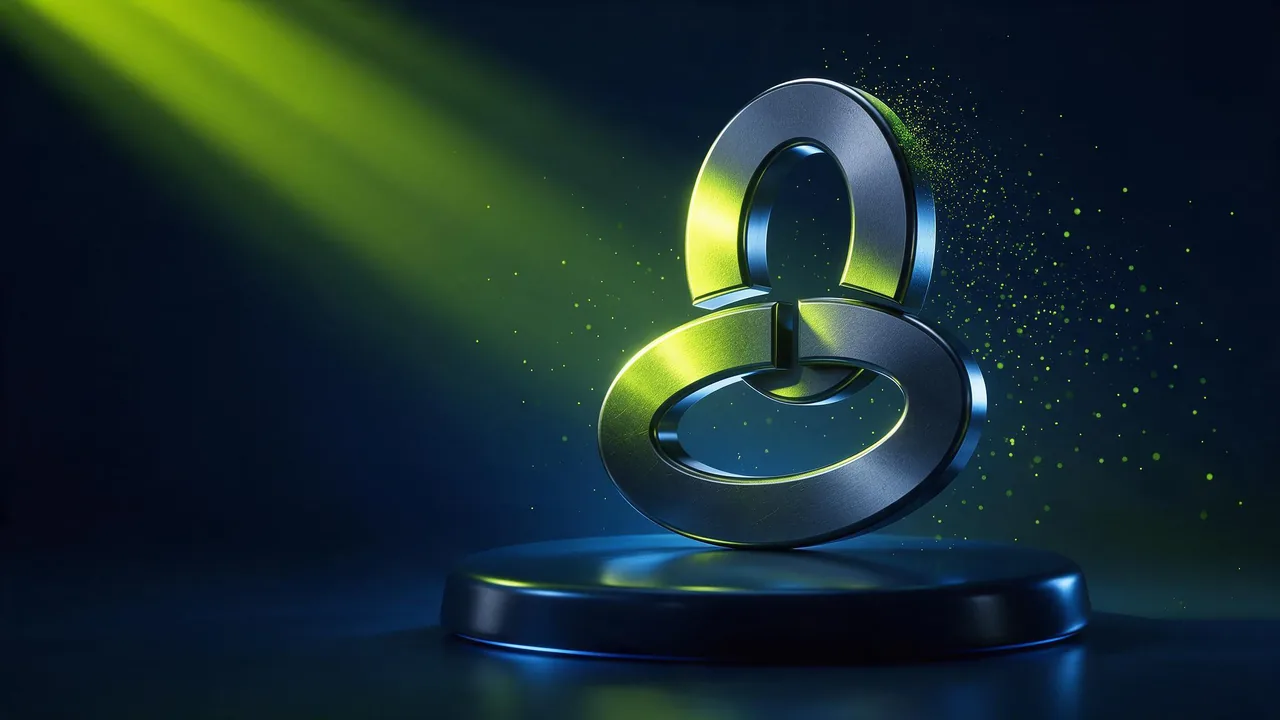
A logo reveal is the shortest film you will ever make. A dark frame, something happens, and the mark lands, sharp and still, for long enough to be read. Agencies build these by hand in motion software. With an image-to-video model you can get a good one from a single picture of your logo, as long as you treat the logo as the one thing that is not allowed to change.
That last part is the whole craft. A video model is happy to bend letters, add a stroke or invent a second symbol. This post is about stopping it: how to prepare the still, which reveal styles the models handle well, and what to lock so the mark comes out exactly as it went in.
Prepare the still before you prompt anything
The model animates what it sees. A messy file gives it more to misread, so spend five minutes on the picture first.
- Plain background. One flat dark or light colour, no texture, no gradient behind the mark. A busy background invites the model to move it, and the mark moves with it.
- Safe margins. Put the logo in the middle at about a third of the frame width, with empty space on every side. The reveal needs room to happen, and a mark that touches the edge often gets cropped or stretched.
- Frame shape first. Export the still in the shape you need (wide for a video intro, tall for a story) rather than cropping the clip later. Vertical or widescreen explains the trade-offs.
- High contrast, high resolution. Thin lines and small type are where distortion starts. If the logo has a long tagline, leave it off the still and add it in the editor.
If you only have a small or blurry logo, rebuild it as a clean still first. A still costs from €0.40, and a sharp source is the cheapest way to a sharp reveal.
Five reveal styles that suit a video model
Pick one. Every style below is a single event that ends on the finished logo, which is the shape a model is good at.
- Light sweep. A band of light travels across the mark from left to right and leaves it lit. The calmest option and the safest, because the logo hardly has to move; light changes without flicker has the words that keep the band smooth. Good for law firms, studios and anything that should feel expensive.
- Particles assembling. Glowing dust drifts in from the dark and settles into the shape of the mark. Lively and modern, but the riskiest for detail: the model has to build the logo, so keep this one for simple bold shapes.
- Ink spread. Ink blooms outward on paper or in water and the logo is what remains. Soft and organic, a natural fit for food, craft and beauty brands.
- Metal shine. The logo already stands as a metal or glass object and one glint runs along its edge, as on the cover of this post. It reads as premium and asks for almost no motion.
- Glitch. The frame jitters with a few broken scan lines and snaps clean on the logo. Use it for games, music and tech, and keep it short: a long glitch looks like a broken file.
The logo stays exactly as in the picture: same shape, same colours, same position. A soft band of white light sweeps slowly across it from left to right, then the frame settles. Camera: locked off. Background stays plain and dark.What must stay fixed
Write the fixed things into every prompt, in plain words, before the motion. Models obey a short list of constants far better than a long description of the effect.
- The shape. No warping, no extra strokes, no change of proportions. Say "the logo keeps its exact shape".
- The colours. Brand colours drift easily under coloured light. Light the reveal in white or in the logo's own colour.
- The position and size. The mark should end where it sits in the still, at the same size.
- The camera. Lock it. A zoom or an orbit forces the model to redraw the logo from a new angle, which is where letters melt. The moves in camera moves for AI video are for scenes, not for a mark.
The strongest lock is a last frame. Some models take a first and a last frame, such as Kling V4.0 image-to-video: make the first frame a dark or scattered version of the scene and give your clean logo still as the last one. The clip then has to land very close to your file, and the prompt only describes the journey.
Fine glowing particles drift in from the dark and gather slowly into the logo. In the final second the logo is complete, sharp and still on the plain background. Camera: locked off, no zoom.Keep it short
An intro is a promise that the video is about to start, so viewers forgive about two or three seconds, and an outro can hold the mark a little longer under a call to action. Clips on the studio can run up to 30 seconds, and that is far too long for a logo: render the shortest length the model offers and trim in the editor. Short clips are cheaper and leave the model less time to drift. Plan on the logo sitting still for the last second, because that is the moment people actually read it.
Make one clip and use it twice: forwards as the intro, played backwards as an outro where the mark dissolves. A light sweep and an ink spread both reverse well; particles reversed look like the logo exploding, which can be a feature.
Sound makes half the reveal
A reveal without sound feels unfinished. Motion Lite returns clips with sound built in, which is handy for a draft, but the sound is the model's guess. For a logo you will reuse for years, mute it and lay a short designed sting in the editor: a whoosh for the sweep, a soft chime for the shine, a low hit on the frame where the logo locks. Line the hit up with that frame, not with the start of the clip.
Test cheaply, then render the keeper
Try two or three styles on Motion Lite, which starts from €2.00, and watch only the last second of each: is the mark identical to the still? When one passes, render the same prompt and frames on Motion at up to 4K for the final file. Every model and its options are on the models page.
Where a logo reveal earns its place
- The first seconds of a video channel, a course or a podcast clip.
- The end card of an ad, after the product shot. The teaser ad from one still shows the shot before it.
- A splash screen for an app or a game, a slide opener for a talk, a looping screen at an event booth.
- Social profile videos and story covers, cut tall from a tall still.
What the studio cannot do
- Guarantee a pixel-perfect logo. Even with a last frame, fine type and thin lines can soften. Compare the final frame with your file, and if they differ, cut the clip a moment early and place the real logo over the last frame in the editor.
- Write text. A tagline or a website address generated inside the clip comes out as nonsense. Add every word as a text layer.
- Make a vector animation. You get a video file at a fixed size, not an animated logo you can scale or edit later.
- Clear your rights. Animate only a mark you own or are allowed to use.
Questions
Can AI make a logo animation from a picture?
Yes. Use an image-to-video model with a clean still of the logo on a plain background, describe one reveal such as a light sweep, and say that the logo keeps its exact shape, colours and position with a locked camera.
How do I stop the AI from distorting my logo?
Give it a sharp still with wide margins, avoid camera moves, light it in white or its own colour, and use a model that takes a last frame so the clip has to end on your file. Keep the clip short.
How long should a logo intro be?
About two or three seconds for an intro, a little longer for an outro under a call to action. Render the shortest length on offer and leave the logo still for the final second.
Can the clip include sound?
Some models return sound built in, which is fine for a draft. For a reveal you will reuse, mute it and add a short designed sting in your editor, timed to the frame where the logo locks.