Fireworks and sparklers in AI video, without the glowing mush
Why bursts, trails and sparks turn to glowing soup in AI video, and the prompt words, night settings and short clips that keep each spark sharp.
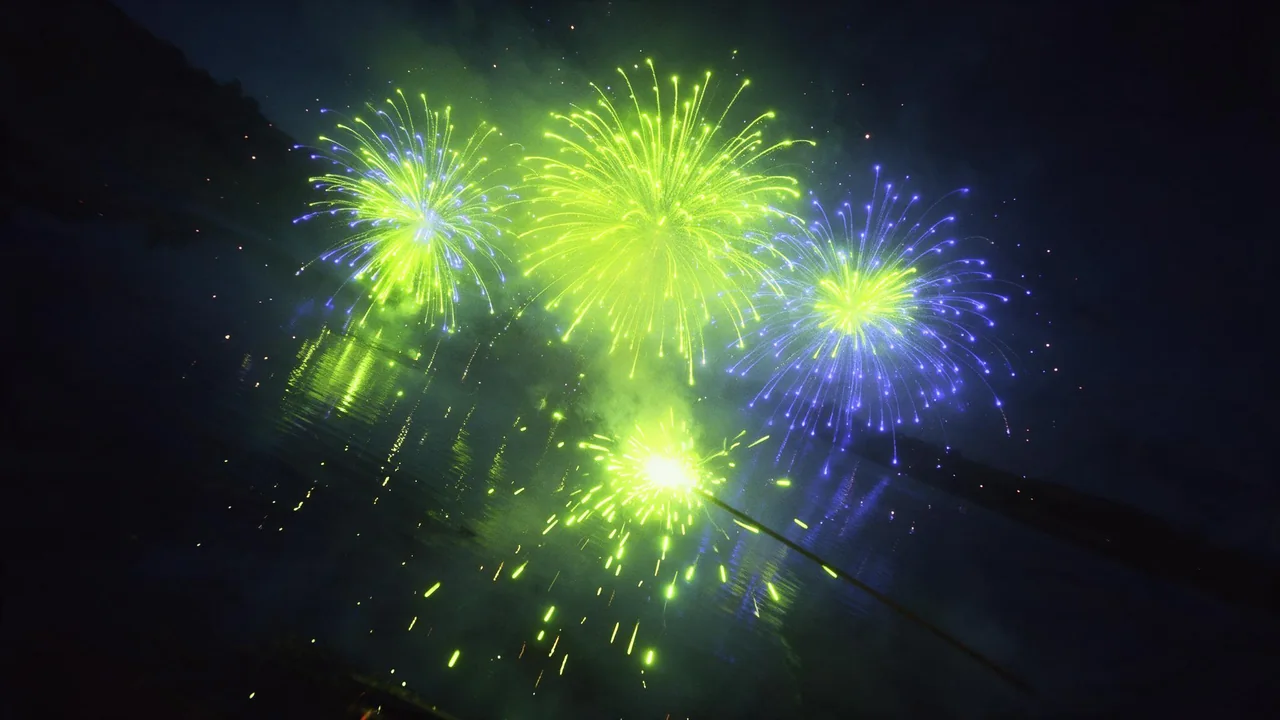
A firework is the worst thing you can ask a video model to draw, and the most tempting one at this time of year. Hundreds of tiny bright points, each on its own path, each fading at its own rate, against a sky that should stay black. A model cannot track hundreds of points. It guesses at the overall glow, and the guess is what people call mush: a soft bloom of colour where the sparks should be, trails that hang in the air, and a sky that turns to grey static.
You will not get a fireworks simulation out of a prompt. You can get a clip that reads as fireworks on a phone screen, and that is mostly a matter of asking for less, naming the shape, and keeping the night dark.
What a firework shot is made of
Before the words, the parts. Pyrotechnicians name shells by the shape of the break, and those names are in a lot of captioned footage, so a model often knows them:
- The launch. A thin rising streak, sometimes with a faint crackle of sparks behind it.
- The break. The shell opens. A peony is a round ball of dots, a chrysanthemum leaves visible trails, a willow droops into long golden strands, a palm throws a few thick arms, and a crossette splits each star into a cross.
- The fall. Stars dim and drop, trails thin out, and the shape loses its edge.
- The leftovers. A drift of grey smoke lit from below by the next burst, and often a reflection on water.
A clip that has all four is rich, and also four chances to fail. Pick the one or two you care about and write those.
Mush 1: the burst turns into a blob
"Fireworks" alone asks for a whole display, and the model fills the sky with overlapping glow. Ask for one burst, name its shape and colour, and say where it sits in the frame. A named shape gives the model a structure to hold, and a single burst leaves it fewer points to invent.
A single gold chrysanthemum firework bursts high in the upper left of a pitch black night sky, sharp individual trails radiating from the centre, then fading and drooping as they fall. Real time speed. Wide shot from the ground, camera locked, no other fireworks."Sharp individual trails" and "distinct points of light" push against the bloom. "Glowing", "dreamy" and "magical" pull toward it, so leave them out unless the soft look is what you want.
Mush 2: trails that never fade
A model has seen a lot of long exposure photographs of fireworks, where every spark is a frozen streak. Mention "long exposure" in a video prompt and you tend to get exactly that: streaks that stay on screen and stack up. In a real clip a trail is short and dies quickly. Say so in plain words: "short trails that fade quickly", "each spark dims as it falls", "the burst is gone before the next one".
Speed matters here too. Many models default to a slow, floaty pace, and slow sparks look like snow or confetti. "Real time speed" or "natural speed" usually fixes it. If you do want slow motion for a single break, the slow motion and timelapse guide has the timing words; just ask for slow motion and fading in the same breath.
Mush 3: the night turns grey
Night footage is noisy, and a model reproduces the noise along with the dark. Tiny sparks on a noisy sky become indistinguishable from the noise itself. Ask for the exposure a camera operator would set for fireworks: a dark, clean sky with deep blacks, the fireworks as the only bright thing. "Pitch black sky", "clean deep blacks", "no moon, no city glow" and "high contrast" all help.
A silhouette helps even more. A dark rooftop line, a hill, a row of trees or a pier at the bottom of the frame gives the eye a fixed edge, so the sky above reads as sky and not as a grey wash. Keep it a silhouette; a lit foreground competes with the sparks for brightness.
Sparklers: small, close and easy to overdo
A sparkler is the friendlier ask: one bright core and a short spray of sparks around it. The common failure is size. The model makes the spray huge and turns the core into a white blob that lights the whole frame. Ask for a small bright core, short thin sparks spitting outward and fading fast, and a dark background.
Close up of a single lit sparkler pushed into a small pile of sand at night, a small bright white core, short thin gold sparks spitting outward and fading within a hand's width of the core. Dark garden behind, shallow depth of field, real time speed, camera locked.A hand holding the sparkler is optional, and the easiest hand to get right is a generic one at the edge of the frame, in a glove, half in shadow. A hand in full light invites the usual trouble with fingers. Writing words in the air with a sparkler is a long exposure effect, not a video one; a model will not spell your name, so keep any lettering for an editor afterwards.
Keep the clip short, and count the events
The longest clips here run to 30 seconds, and for fireworks that is usually too long. The longer the clip, the more bursts the model has to invent, and each one is another chance for the sky to fill with glow. One launch and one break fits a short clip. If you want a display, render several short clips with one or two bursts each and cut them together; or extend a good one with a model such as PixVerse V6 extend, checking the join for a jump in brightness.
To try wordings cheaply, run them as short drafts on P-Video-2 text-to-video, which has a draft toggle. A burst that is mush in the draft rarely gets sharper in the final render.
Start from the empty sky, not the peak
Image-to-video helps with almost everything else on this blog, but it has a catch with fireworks: if your first picture shows a burst at its peak, the model has to make the burst bigger or keep it frozen, and neither looks right. Make the still at the quiet moment instead: the dark sky, the silhouette, maybe a faint launch trail. Then give it to a model such as Kling V4.0 image-to-video and describe the burst that happens next.
For a clip that loops or cuts cleanly, a start and end frame model such as Vidu Q3 start-end-to-video can open and close on the same dark sky, so the burst happens in the middle and leaves no glow behind. The light changes post covers the flash the burst throws on the scene, and the water, smoke and fire post has the smoke words for the haze afterwards.
What the studio does not do
There is no particle control: you cannot set a spark count, a burst height or a fade time, and no model promises a given shell shape. The studio renders the clip and nothing more, so cutting several bursts together, adding a greeting or adding the bang is done in another app. And no wording fixes every take; render the same prompt twice before you rewrite it, since particles vary a lot from one roll to the next. All the video models and what they take as input are in the catalog.
Questions
Why do fireworks in AI video look blurry or like a glowing blob?
A model cannot track hundreds of separate sparks, so it averages them into a glow. Ask for one burst with a named shape, sharp individual trails, a pitch black sky and real time speed.
Should I use the words long exposure for fireworks video?
Usually not. Long exposure describes photographs where every spark is a frozen streak, and in video it tends to give trails that never fade. Ask for short trails that fade quickly instead.
How do I make a sparkler clip without showing people?
Stand the sparkler in sand, a cake or a flower pot, ask for a small bright core with short sparks fading fast, and keep the background dark. A gloved hand at the edge of the frame is the safe option if you want one.