The claymation look in AI video: stepped motion, thumbprints and felt sets
Getting a stop-motion feel out of a video model: stepped motion, thumbprints in the clay, felt and cardboard sets, and chunky moves that stay unsmoothed.
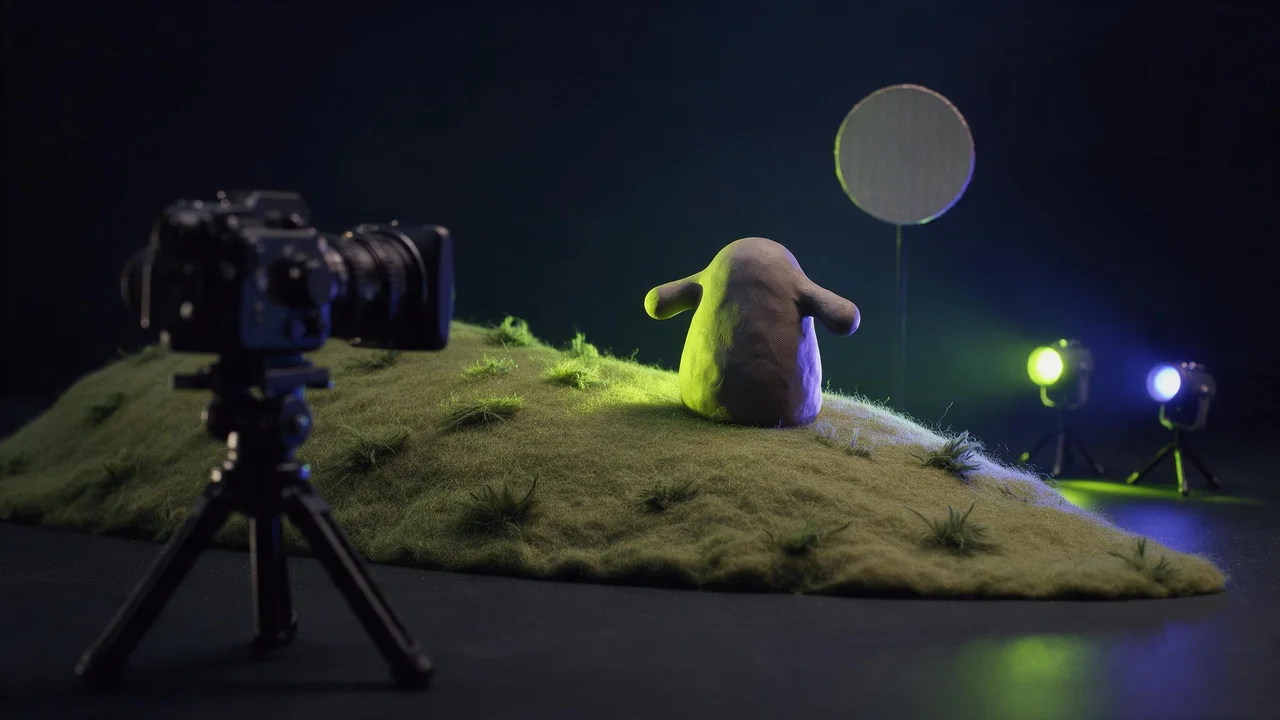
Ask a video model for "claymation" and it will happily give you clay. Shiny, rounded, well lit clay that glides across the frame like a toy in a car advert. What it rarely gives you on the first try is the thing that makes stop motion feel like stop motion: the slight stutter, the fingerprint on a cheek, the felt hill that is very obviously felt. Video models are trained to make motion smooth, so smoothness is what they drift back to.
This post is a list of the ways the handmade look gets lost, and what to type, or show, to keep it. It works from text alone and from a still, and the still route is the more reliable one.
Where the look comes from
Real stop motion is a pile of photographs. An animator moves a puppet a few millimetres, takes a frame, and moves it again. Three things fall out of that and you need all three:
- Stepped motion. Each pose is held for a beat, so movement arrives in small jumps instead of a glide. Animators call shooting each pose for two frames working "on twos".
- Surface that remembers hands. Thumbprints, tool marks, a seam where two colours of clay were pressed together, and a faint shimmer called boil as the clay shifts between frames.
- A set you could pick up. Felt grass, cardboard houses, cotton wool clouds, a paper moon on a wire. Real scale is small, so light falls off quickly and the depth of field is shallow.
Lost look 1: the motion is too smooth
This is the big one. Say what the motion should feel like, in the words an animator uses, and then say it again in plain language, because a model may know one phrase and not the other. Keep the moves chunky and few: a head turn, a hop, an arm raised. A long walk cycle invites the model to blend everything into one smooth slide.
Stop motion animation, shot on twos, choppy stepped movement with each pose held briefly. A small round plasticine creature hops twice along a felt hill, pausing between hops. Visible thumbprints in the clay, slight surface boil between frames. Cardboard trees, cotton wool clouds, a paper moon. Small set, warm tungsten light, shallow depth of field, locked camera.Avoid the words that pull the other way: "fluid", "seamless", "cinematic slow motion", "smooth tracking shot". If you want the camera to move, keep it small and say it moves in steps too, or lock it; the camera moves guide has the locked camera wording. Text-to-video models such as Vidu Q3 or PixVerse V6 are good for trying the phrase on a short draft before you commit to a look.
Lost look 2: the clay turns into plastic
A model that invents the puppet while it animates it tends to invent a clean one. The cure is to make the puppet first, as a still, and put every imperfection you want in that picture. An image model such as Nano Banana 2.1 can render a convincing tabletop set; ask for matte clay, visible fingerprints, slightly lumpy edges and a set made of craft materials. Then the video model only has to move what it can already see.
Photograph of a handmade stop motion set on a tabletop: a round orange plasticine creature with stubby arms and two bead eyes stands on a green felt hill. Matte clay with visible thumbprints and tool marks. Background of cardboard cut-out trees and a paper moon on a thin wire. Warm practical light, small scale, shallow depth of field. No text.Then give that still to an image-to-video model such as Vidu Q3 image-to-video and write about motion only: the stepped words from above, one or two chunky actions, and an order to leave the set alone. Describing the scene a second time only invites a redraw.
Lost look 3: the set melts
Felt and cardboard are fine textures, and fine texture is the first thing to swim when a model moves it. Ask the set to stay put: "the felt hill, the cardboard trees and the moon do not move". Let only the puppet and perhaps one prop move. A little boil on the puppet reads as handmade; boil on the whole set reads as a broken render.
When the clip still comes out smooth
Sometimes the model gets the clay and the felt right and still glides. You have two moves left. Re-roll with fewer actions and stronger stepped words, or keep the clip and step it yourself: any video editor that can lower the frame rate or hold frames will turn a glide into a stutter in a few seconds, and the clay look then does the rest. The timing words post covers why speed words and step words are not the same thing.
What Ineveo does not do here
The studio renders the still and the clip. It has no frame rate control of its own and no editor, so stepping a finished clip happens in another app. No model is guaranteed to obey "on twos": some honour it often, some rarely, and the only way to know is a cheap draft. Every video model and its inputs is listed in the catalog.
Questions
How do I get a stop-motion look from an AI video model?
Ask for stop motion shot on twos with choppy stepped movement, name one or two chunky actions, and describe matte clay with thumbprints and a set of felt and cardboard. Starting from a still keeps the texture.
Why does my AI claymation look like smooth 3D animation?
Video models lean toward smooth motion and clean surfaces. Remove words like fluid and cinematic, add stepped motion words, and give an image-to-video model a still that already shows the fingerprints.
Can I make an AI clip choppier after it renders?
Yes. Lower the frame rate or hold frames in any video editor. It turns a smooth glide into a stop-motion stutter, and works best when the clip already has the clay and felt look.